English
  Turkish
  Deutsch



















A retail price change involves several checks. The new information must reach the right product location. Promotional details must stay consistent. Shelf prices and checkout information also need to match the same pricing process.
An electronic shelf label project should therefore be evaluated as an operational system rather than a display purchase. Hardware, software, connectivity, product data, and everyday store procedures all deserve attention.
What Are Electronic Shelf Labels?
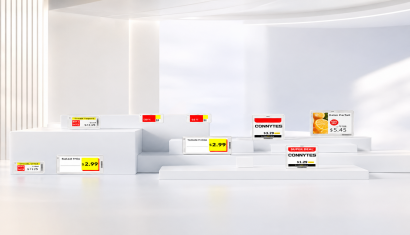
Electronic shelf labels are digital displays that show product prices and related information at the shelf edge. Commonly abbreviated as ESL, these systems use wireless communication to receive updates from a central management infrastructure.
Retailers may also encounter the terms digital price tags, electronic price labels, or digital shelf labels. When comparing solutions, focus on display technology, communication method, and management capabilities rather than terminology alone.
How Does an ESL System Work?
A wireless ESL installation combines management software, communication infrastructure, and shelf labels. A gateway or access point connects the management layer with the labels. Communication methods and supported capabilities differ between systems.
For project planning, start by identifying the source of product and pricing information. Link each product record to the correct label, prepare the display template, and test how updates reach the shelf.
Consider a product displayed in two separate aisles. The project needs to account for both physical label locations, not only the product record. A digital display cannot correct an incorrect product-to-label assignment by itself, so assignment and update checks should be treated as essential operating procedures.
What Can Digital Price Labels Display?
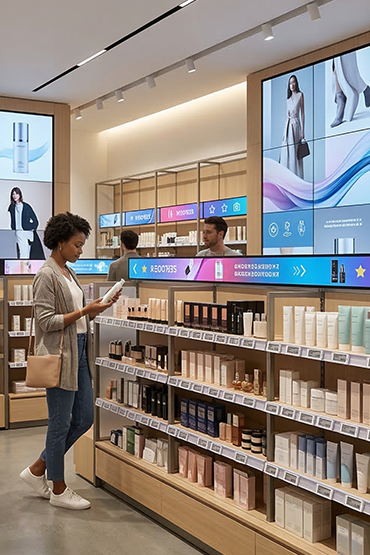
Labels can present prices, product names, promotional information, and additional content such as QR codes where supported. Unisoft’s Xenon Smart deployment uses electronic labels to display pricing, product information, campaigns, and QR codes near the products.
Readability should guide the template. Instead of fitting every available field onto a compact label, prioritise the information that helps a customer understand the product and price.
Test layouts with real product names and price formats. Long descriptions, promotional offers, and different number lengths should remain clear at the intended viewing distance.
E-Paper and Battery Life
An E Ink display does not require continuous power to retain a static image. Energy is needed when the image changes. However, this property applies to the display layer: wireless communication and control electronics also consume power.
Battery life is not a universal number across electronic shelf labels. The model, operating temperature, update frequency, and enabled features affect the result. Manufacturer battery-life statements are linked to operating assumptions.
Ask suppliers to state the update frequency behind their battery-life estimate, explain the replacement procedure, and define maintenance responsibilities. Low energy consumption should not be treated as a promise of maintenance-free operation.
How Do Electronic Labels Compare with Paper Labels?
Electronic labels allow price information to be distributed centrally and can reduce the need to print and replace paper labels for each change. This can simplify recurring pricing and promotional updates.
Evaluate the benefit using your own store processes. Before a pilot, record the time spent changing labels and the quantity of replacement materials. Compare those measures after deployment rather than relying on a general savings claim.
Shelf and checkout consistency should also be evaluated as a complete workflow. Shared product data, correct label assignments, and successful delivery checks matter together. A display alone cannot guarantee that the information supplied to it is correct.
Where Can Electronic Shelf Labels Be Used?
Electronic shelf labels can be used in supermarkets, electronics stores, cosmetics retail, pharmacies, and home-improvement stores. Unisign’s range includes compact, slim, protected, and wide-format options.
A store does not necessarily need the same label model everywhere. Compact labels may suit dense product shelves, while larger formats may be considered for display areas requiring more information.
For refrigerated or humid areas, check the specified operating temperature and protection requirements. Do not select a label for a freezer simply because its dimensions fit the shelf.
How Should an ESL Installation Be Planned?
Begin with the actual deployment scope: product range, physical shelf positions, store count, update frequency, and special environmental requirements. Remember that one product may appear at several locations and require more than one label.
Next, prepare the data. Review product identifiers, price fields, promotional content, and label templates. Where ERP, POS, or retail software integration is required, agree on the available data-transfer methods with the relevant technical teams.
Use a pilot area to test readability, connectivity, bulk updates, and product-to-label assignments. Supported acknowledgement mechanisms can distinguish an update being sent from a label confirming it has been received and applied. Such response capabilities exist within ESL communication solutions.
After the pilot, define rollout, training, and support. Assign responsibility for product moves, connection issues, damaged labels, and future template changes. The installation should leave the store team with a manageable process, not only functioning hardware.
What Should Retailers Consider When Choosing an ESL System?
Evaluate readability, compatibility, and maintainability.
For readability, assess display size, available colours, price prominence, and mounting angle. For compatibility, review software, gateways, wireless communication, and the intended data workflow together.
For maintainability, ask about battery replacement, spare labels, shelf fittings, user permissions, training, and support. Do not assume that labels and gateways from different vendors will work together automatically; the ESL market includes different communication approaches.
Electronic Shelf Labels vs. Price Checkers
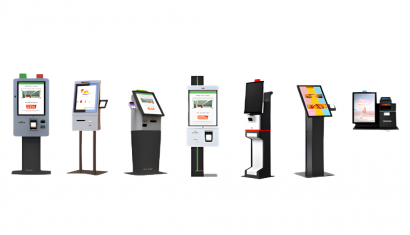
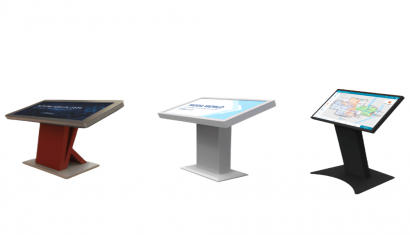
An electronic shelf label displays information directly beside the product. A Price Checker allows customers to scan a barcode and view pricing and product details at a separate enquiry point. Unisoft’s solution supports integration with ERP, POS, and retail management systems.
The two tools address different needs. When planning centralized price management, evaluate shelf-edge information and customer-operated price verification as complementary parts of the store experience.
What Affects Electronic Shelf Label Pricing?
Do not compare electronic shelf label pricing using the unit label cost alone. Request a quotation that separates label sizes and quantities, gateways, software licensing, integration, shelf fittings, installation, training, and support.
A lower label price may exclude software or deployment services. Compare equivalent project scopes, separating the initial investment from recurring licence and maintenance costs.
Provide the supplier with a store plan, approximate label quantities, existing software details, special environmental requirements, and sample product data. This supports a proposal based on actual operations rather than display dimensions alone.
Conclusion: Choose the Pricing Process, Not Only the Display
An electronic price label project involves more than replacing paper with a screen. Define where information originates, which label receives it, and how updates are checked before selecting the final system.
Review Unisign electronic shelf label solutions to compare suitable options. The Xenon Smart Digital Label Project also provides an example of digital labels positioned within product presentation areas.
Frequently Asked Questions
Must an electronic label be replaced whenever a price changes?
No. Supported pricing and content changes can be sent to the existing digital label without replacing it for every update.
Does an electronic label go blank when connectivity is lost?
An E Ink display can retain its last image without power. A visible image does not confirm that new prices are being received, so connectivity and update status must be checked separately.
Can every electronic label be used in refrigerated areas?
No. The selected model’s operating temperature and protection requirements must match the installation environment.
Does an electronic label decide product prices automatically?
The label displays the price sent to it. Automated pricing decisions require separately defined software and business rules.
What should an ESL quotation include?
Request separate details for labels, gateways, software, integration, fittings, installation, and support, together with battery replacement and ongoing licensing conditions.